.png?width=680&height=1008&name=pole-no-bg%20(1).png)
Tags On Items In Model Editor
Your field crew just texted. They're two hours in, and they've already hit a section of the route you never mapped—three poles that weren't in the original KMZ, a guying situation nobody flagged, and a span over a railroad right-of-way that could push the build timeline by six months or more. They're making judgment calls on the side of the road instead of collecting data. A 150-pole day is starting to feel impossible.
This is what happens when pre-field job design gets treated as a formality instead of a force multiplier. The decisions your office team makes before a crew ever leaves the parking lot determine how many poles come back at the end of the day and how useful that data is when it arrives.
At Katapult Engineering, job design is one of the most important things we do. After 30 years of running OSP data collection programs, we've learned that the difference between a 100-pole day and a 200-pole day often has nothing to do with the crew. It has everything to do with what they were handed before they went out.
This guide covers the complete pre-field job design workflow—what it is, why it matters more than most teams realize, and how to do it well.
What Pre-Field Job Design Actually Is
Pre-field job design (or “pre-design” as we call it) is the process of preparing a complete, field-ready map of a collection route before crews leave the office. At minimum, it means creating a digitally-available job package that includes every pole location, every span connection, every reference midspan that needs a height shot, and any notes about conditions that will affect how the crew works.
Done well, it's much more than just dots on a map. A thorough pre-design tells the crew exactly what to photograph at each stop, flags complications they'd otherwise have to figure out on-site, and resolves ambiguity about scope before it can slow anyone down. The crew shows up to a job that has already been thought through. Their only job is to execute it.
The goal is to transfer as much of the cognitive load from the field to the office as possible. Time spent standing at a pole making decisions is time not spent collecting photos. In a photogrammetry-based data collection workflow, where the value comes from volume and consistency of data, that distinction compounds quickly across a 100 or 200-pole route.
Why This Step Matters More Than You Think
Here's the counterintuitive thing about field efficiency: sometimes, the most expensive mistakes in data collection happen in the office, before anyone sets foot in the field.
A designer who rushes through job setup—such as mapping poles from aerial imagery but skipping the Street View review, not flagging the railroad crossing, missing indicators why guying information needs to be captured—creates a tax on every hour the field crew works that day. Every ambiguous situation they encounter triggers a stop, a judgment call, a phone call back to the office, or worse, a return trip.
The math is straightforward. A two-person crew covering 150 poles in a day is spending roughly 20-30 poles an hour when they are actually collecting data versus drive time and breaks. Any in-field design decision that takes more than a minute or two represents a full pole's worth of lost capacity. Ten of those decisions could be 5% of a day's production gone. Careful pre-design eliminates most of them.
There's also a data quality dimension. When field crews are making design decisions on the fly, they're making those decisions without the aerial imagery, Street View, and scope documentation that's available in the office. The resulting design is less accurate and less consistent. Errors in the field design propagate into the photo data, which propagates into the make ready engineering that happens downstream. A missed reference span that should have been shot becomes a gap in the data that an engineer has to work around, or schedule a return trip to collect.
Pre-design is cheap. Return trips are expensive.
What Good Pre-Field Design Actually Looks Like
Starting with the Scope
Every collection job starts with some form of scope delivery from the client. This usually arrives as a .kmz file, a shapefile, spreadsheet, a GIS export, or occasionally a hand-drawn sketch of the route. The first thing a designer needs to do is understand what the job is actually asking for.
The scope defines which poles need to be collected, but it doesn't tell you everything you need to know about how to collect them. Before you start placing nodes in the platform, spend time reviewing the scope against aerial imagery and Street View. Ask the questions that your field crew would otherwise have to ask in the field:
Are there poles on this route that the client's data doesn't show? Utilities' records are frequently incomplete or out of date. A visual review will often reveal poles missing from the original scope.
Are there spans that need reference shots the scope doesn't call out? References/lateral locations are often needed for pole loading analysis, even if midspan heights aren’t needed for clearance checks.
Are there conditions that will affect how the crew approaches a location? Railroad crossings, active highway medians, limited-access industrial properties, and substations all require notes before crews arrive, not problem-solving after they do.
Resolving these questions from the office, with full access to mapping tools and client communication, is dramatically faster than resolving them from a field crew standing on the roadside.
Mapping the Pole Line
With the scope reviewed, the next step is building the job in Katapult Pro. Poles are placed on the map using aerial imagery as the primary reference, with Street View used to verify locations in dense urban environments or areas where imagery is ambiguous.
Placing poles from aerial imagery requires some practice. In most distribution environments, poles cast identifiable shadows that make them locatable from satellite view. The challenge is that aerial imagery has varying degrees of recency and resolution depending on the area, and pole locations sometimes need verification from multiple angles. Street View fills this gap well because it lets you confirm the pole is where the aerial imagery suggests it is, and often reveals conditions that don't read clearly from above (dense canopy, tight clearances, equipment on the pole that will matter for scoping).
Spans are then connected between poles to create the route structure. This step matters because spans define what midspan height shots are needed. A span that's connected in the job gets a reference designation that tells the crew to collect it. A span that's missing from the job means the crew either catches the gap in the field (losing time) or misses the data entirely.
Flagging Complications Before They Become Field Problems
One of the highest-value things a good designer does during pre-design is build a field briefing into the job itself. Notes on specific poles—"check for guying on the back side," "verify whether cable is bolted or hooked," "adjacent pole across highway needs a reference shot" —eliminate a category of in-field decision-making entirely.
These notes don't require the designer to have been to every location. They require the designer to look carefully at what's visible in imagery and flag anything that's ambiguous. A 10-second Street View review that produces a note saving the crew five minutes of deliberation is a good trade. A dozen of those trades across a 100-pole job adds up to an hour of recovered field time.
Guying deserves particular attention. Anchors and downguys are frequently the most difficult thing to accurately represent from aerial imagery alone, and getting them wrong in the design can create problems for pole loading analysis downstream. Flag potential guying situations in the notes and tell the crew to verify, rather than leaving them to guess.
The Office-to-Field Split: Why It's a Paradigm Shift
Traditional OSP data collection required measurements, guying notes, and make ready decisions to be made on-site by the people collecting the data. That meant your most experienced people needed to be in the field, because field work required judgment calls that only experienced people could make.
The photogrammetry-based workflow inverts this. The field role is narrowed to one thing: take great photos from the right positions, and do so quickly and safetly. That task can be trained in days, not years. The judgment calls get made in the office where your experienced people have better tools and better information.
This is what allows two people with limited industry experience to collect 150+ poles in a day, while engineers and designers process the data and call make ready from their desks. The expertise doesn't disappear from the workflow, it gets relocated to where it can do more per hour.
The pre-design step is what makes this possible. If you skip the pre-design, you've pushed all those judgment calls back to the field, where they cost more time, produce less accurate results, and require more experienced (and harder to scale) people to resolve them.
Job Sizing and Crew Routing
How you structure jobs for field deployment matters almost as much as how well you design them. Two practical principles that consistently improve field throughput:
Match job size to the crew's pace, not the total project size. If your project covers 500 poles, don't
deploy a single 500-pole job. Break it into 50-100 pole chunks that a crew can realistically complete multiple of in a day, including drive time between poles. Smaller jobs are easier to navigate, easier to review for completeness when the crew returns, and easier to process in the office without creating bottlenecks.
We do not recommend assigning more than 200 poles in a day to a team for typical make ready work. For permitting jobs where you don’t need to collect laterals/references or downguy information, that number would be closer to 300. If your team is struggling to collect 100 poles in a day, it’s worth a look under the hood.
There's also a psychological dimension to splitting up jobs. Crews who can mark a job complete and move to the next one maintain momentum differently than crews who feel like they're perpetually partway through a massive job. Completion creates a sense of progress that matters over a multi-week project.
Route jobs to minimize non-collection drive time. The most efficient collection routes follow the line without unnecessary backtracking. When the scope is a linear corridor, this is straightforward. When the route is a more complex network—multiple branches, loops, or disconnected segments—routing decisions become a meaningful design variable. A well-routed job minimizes the time crews spend driving between poles they've already passed and maximizes the time they spend at poles they haven't.
For two-crew deployments on large projects, job sizing and routing decisions also determine how smoothly the teams can work in parallel. Overlapping routes or poor handoffs between crews introduce coordination problems that cost production. Good pre-design accounts for where each crew will be and when.
Common Pre-Design Mistakes That Cost Field Production
Rushing the aerial imagery review. It's easy to place poles quickly when you're working from a clear image of a straight route. The temptation is to work fast. The cost shows up when imagery is ambiguous such as dense tree canopy, urban environments with complex overhead infrastructure, or areas where the satellite pass was low-resolution. Every pole placed at the wrong location is a field correction waiting to happen.
Skipping Street View for difficult sections. Aerial and Street View are complementary tools. Aerial gives you the big picture; Street View paints a closer picture of what the crew will actually see when they arrive. Skipping Street View for congested areas, tight-clearance locations, or poles near driveways and access points is a consistent source of in-field surprises.
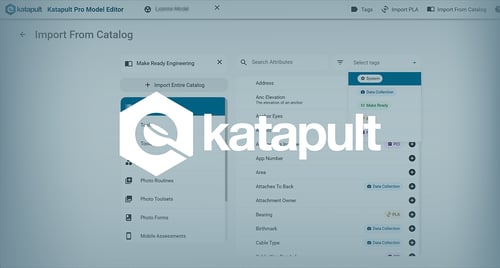
Never leaving notes. Katapult Pro has standard Note drawing tools in most default models. Notes are an extremely useful tool to get a fielder’s attention and remind them that something needs special attention.
Good pre-design is what separates a 100-pole day from a 200-pole day. If you want to see how Katapult Pro's job design tools support the full collection workflow, from scope delivery through field deployment and office processing. Our team can walk you through it.
What Happens After the Design: Setting Up Field Crews for Success
A completed pre-design gets the crew most of the way there, but the handoff between office and field matters too.
Crews need to understand the scope of the job before they leave—not just the route, but what data they're collecting and why. A crew that understands they're collecting for a make ready engineering scope treats ambiguous situations differently than one collecting for a simple attachment audit. Scope awareness affects photo quality, completeness of field notes, and the decisions crew members make when they encounter conditions the design didn't anticipate.
Katapult Pro's mobile interface lets crews make as many field edits as they need to without disrupting the core design or the office processing workflow. The goal is to keep in-field design changes to a minimum, but the flexibility to make them is important. A design that's 95% accurate going into the field performs well; one that tries to be 100% accurate at the cost of being rigid creates a different set of problems.
The most effective crews treat the pre-design as a gift from their office team and the in-field edit capability as a safety valve, not a primary tool. When the office has done its job well, field corrections should be minor and occasional, not routine.
The Full Collection Workflow: Design Is Just the Beginning
Pre-field job design is the first step in a workflow that runs from scope delivery to engineering deliverables. Understanding where it fits in the larger picture helps explain why getting it right matters so much.
Design creates the job structure. Field collection populates it with photos. Photo processing classifies, calibrates, and associates those images to the correct poles and spans. Engineering uses the annotated photo data to call make ready, run pole loading analysis, and produce the deliverables the client needs.
Each step depends on the quality of the one before it. A poorly designed job produces confused field photos. Confused field photos require more manual processing work. More manual processing creates a bottleneck before engineering can start. Errors that make it into engineering cost more to fix than errors caught earlier in the chain.
This is why experienced project managers treat pre-design time as protected. An extra hour on job design routinely saves two hours of processing time and prevents one return trip. The leverage ratio is good.
Frequently Asked Questions About OSP Pre-Field Job Design
Q: What should be included in a pre-design that's often left out?
Reference spans are the most common omission. Designers frequently map only the poles in scope and forget to include the adjacent midspans that will affect make ready clearance calculations. Notes on guying, access complications, and scope-affecting conditions are also commonly skipped. These are the exactly the things that produce in-field delays when they're missing.
Q: How does job design quality affect make ready engineering downstream?
Directly and significantly. make ready engineering depends on having accurate height data for all conductors and attachments on and adjacent to the poles in scope. If reference spans are missing from the design, the crew doesn't capture them, the office doesn't have the heights, and the engineering design team either has to request a return trip or make conservative assumptions that may result in unnecessary make ready calls. Good design quality upstream is one of the most reliable ways to reduce downstream engineering costs.
Q: What's the right job size for a two-person crew?
For standard distribution pole collection on accessible routes, 50-100 poles per job works well for most two-person crews. The goal is a job size the crew can complete two of comfortably in a single day, with some margin for the unexpected.
Q: Can field crews make changes to the design once they're deployed?
Yes, and they will need to. Katapult Pro's mobile interface lets field crews add poles, adjust locations, create new spans, add anchor and guying notes, and flag questions—all from a smartphone. The goal of pre-design isn't to create a design that needs zero field edits. It's to minimize field edits to the point where they don't significantly impact throughput. Crews should expect to make a handful of corrections per day; they shouldn't be redesigning entire sections from the roadside except in very specific route design scopes
Q: How does job design differ for a make ready scope versus a simpler attachment audit?
The core design process is the same, but the level of detail required scales with the downstream engineering requirements. A make ready engineering scope requires reference shots for adjacent spans, careful attention to guying, and notes about any conditions that will affect clearance calculations. A simpler audit scope—documenting existing attachments for a utility inventory, for example—can be designed with less detail since the downstream analysis is less complex. Understanding the scope before you design is what calibrates the appropriate level of effort.
The major cost differentiator is measurable photos. Any scope that does not require hugging the pole immediately becomes less expensive to collect. You can take photos from a vehicle at low speeds, for example, while also reducing back office calibration and tracing time.
Q: What data does a complete job design need to contain before field deployment?
At minimum: every pole location in scope, correctly placed (or highlighted as needing location verification); span connections between poles; reference span designations for any midspans requiring height shots; notes on access complications, guying situations, and scope ambiguities; and any special instructions relevant to the project. For make ready scopes, a review for missing adjacent span coverage should be part of the pre-deployment QC.
Ready to Improve Your Field Collection Throughput?
The gap between a frustrating collection day and a productive one usually isn't the crew. It's the design they were handed. When pre-field job design is done carefully field crews can focus entirely on doing one thing well: capturing great photos at every location.
Katapult Pro supports this workflow from the moment a scope arrives through the engineering deliverables on the other end. The job design tools are built around the office-to-field split that makes high-volume collection scalable—experienced people in the office resolving complexity, field crews executing a clear plan efficiently.
If you're building out a data collection program, scaling an existing one, or trying to understand why your pole counts aren't where they should be, our team has 30 years of experience with exactly these problems.